
I came across this error yesterday after installing Master Data Services on a 64bit Windows Server 2008 R2 box and trying to access the MDS WCF web service. After a lot of messing around with mime types and handler mappings, running aspnet_regiis etc. I noticed that the WCF activation feature was not installed.
This can be found here Server Manager –> Features –> Add Features.
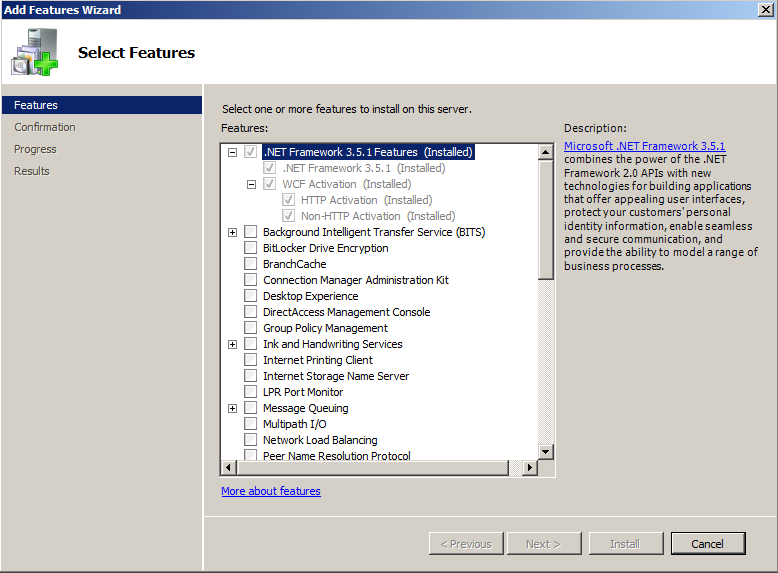
As soon as I installed this feature the error went away.
 The Microsoft Cloud Blog
Perfect!
It works fine for me.
Thanks a lot man!
LikeLike
That solved my problem too. I will post a link form my blog to you.
Thanks,
Ming Man Chan
LikeLike
Hi.
I think that have a bit more information about problem.


When you select to install “WCF Activation” feature, automatically will install other feature “IIS – Application Development – .NET Extensibility”.
Also other features in “IIS – Application Development” must be installed.
But your topic push me in right way. Thanks!
Ilya.
LikeLike
Thanks a million! Was pulling my hair out.
LikeLike
What a great solution. Every other answer on the internet is wrong
LikeLike