
As I think I mentioned in an earlier post I have a couple of subscriptions which are tied to different MSDN subscriptions/tenants. Up to now when I wanted to switch subscriptions I used to just either sign in to the other account or add user accounts to each of the subscriptions. However, this was a clunky way of doing this.
There is a much neater way of doing this, which is to move the subscriptions to a single tenant and access these as if you had multiple subscriptions under one billing account.
To do this all you need to do is add an account from the destination tenant to the source tenant. Once added this user needs to have an owner role in the subscription.
Once you have assigned the permission you can use the menu option “Change Directory” to move the subscription. The change directory option provides a new pane which allows you to select the destination tenant.
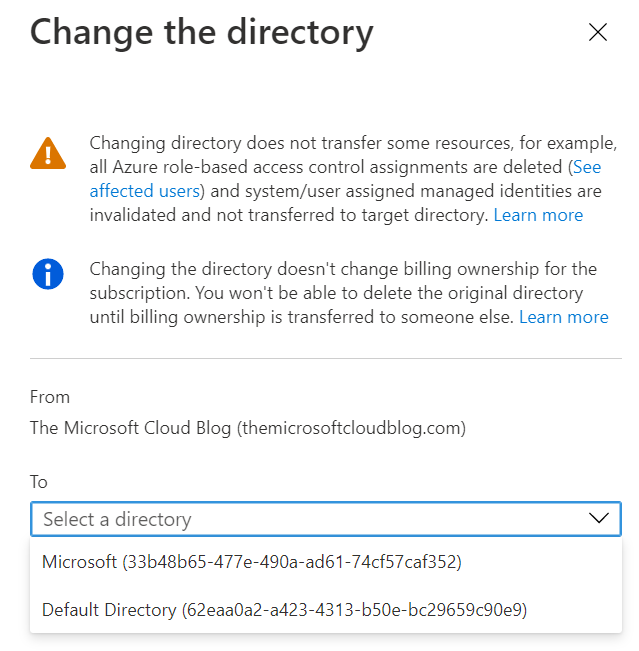
When you are happy with the selection, Microsoft will do a quick test to see if the options are valid. Please note not all resources can be migrated in this manner, if you have any of these services/configuration values then Microsoft will inform you. Once the validation check has been completed, you can proceed with the migration.
The subscription almost immediately disappears from the source tenant, but it does take time to appear in the new tenant.
It is important to note that this does not change the billing or owner information of the subscription so please approach this with caution.
 The Microsoft Cloud Blog
Leave a comment