
Luckily I have an Azure subscription as part of my MSDN license, which means that I get a fixed amount of credits every month to use as I see fit. The problem is that this is an amount that is sufficient to try services for a day or so, but not enough to really stand up environments or applications for any length of time and I am constantly having to remember to delete or switch off resources, otherwise my subscription basically just stops.
This came to a head the other day when I created a Firewall in order to check some of the configuration settings for a scenario that I was working on and then forgot that I had created it. This burnt through my credits really quickly and before I knew it or realised I have used up 80% of my credits for the month.
At this point I thought I had better practice what I preach and set up a simple alert to warn me that I had something in this subscription which was going to exceed my monthly allocation.
To do this just go to the cost management screen in the Azure portal (I am sure there is an easy PowerShell command for this as well) home > Cost Management + billing > Cost Management or just search in the search box.

Then just click on the Cost Alerts option in the Cost Management Menu and then click on Add.
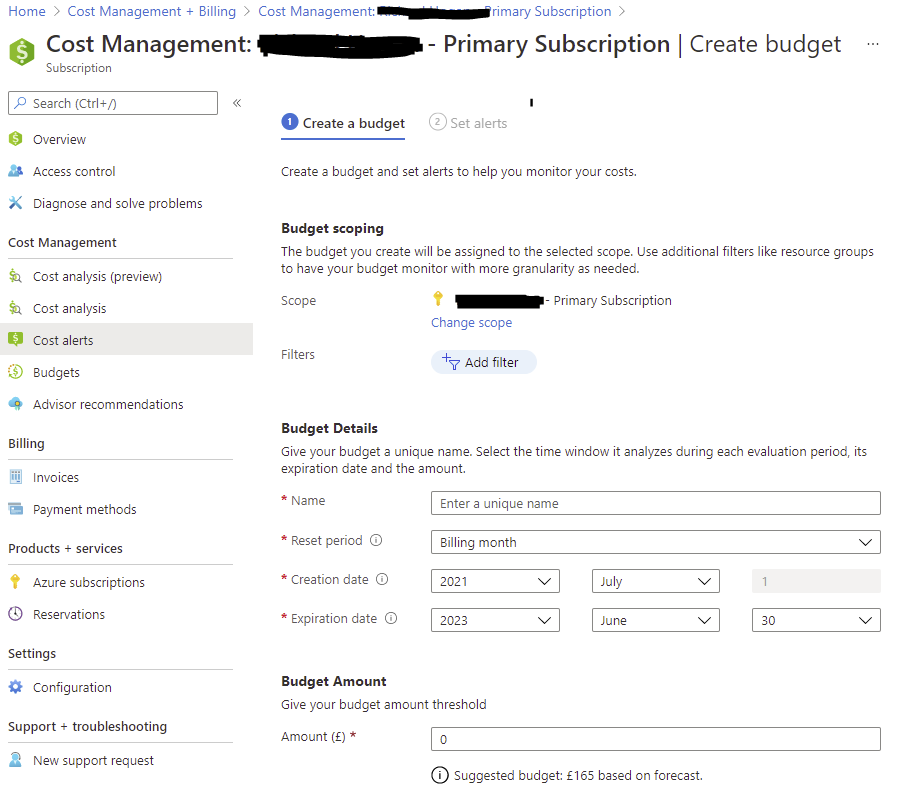
Give the Alert a name, a reset period (in my case 1 month), a start date and end date as well as a budget amount.
Then you have the ability to set the Alert Conditions. You have the choice here of an actual usage percentage or forecasted. I set mine to forecasted as I want to know when if I am at risk of using my credits. You can then assign an action group if you want, which allows a some workflow type actions e.g. run a runbook or the ability to use SMS etc.. I had one already setup for the management alerts so used this, but an Action Group is not required for simple alerts.
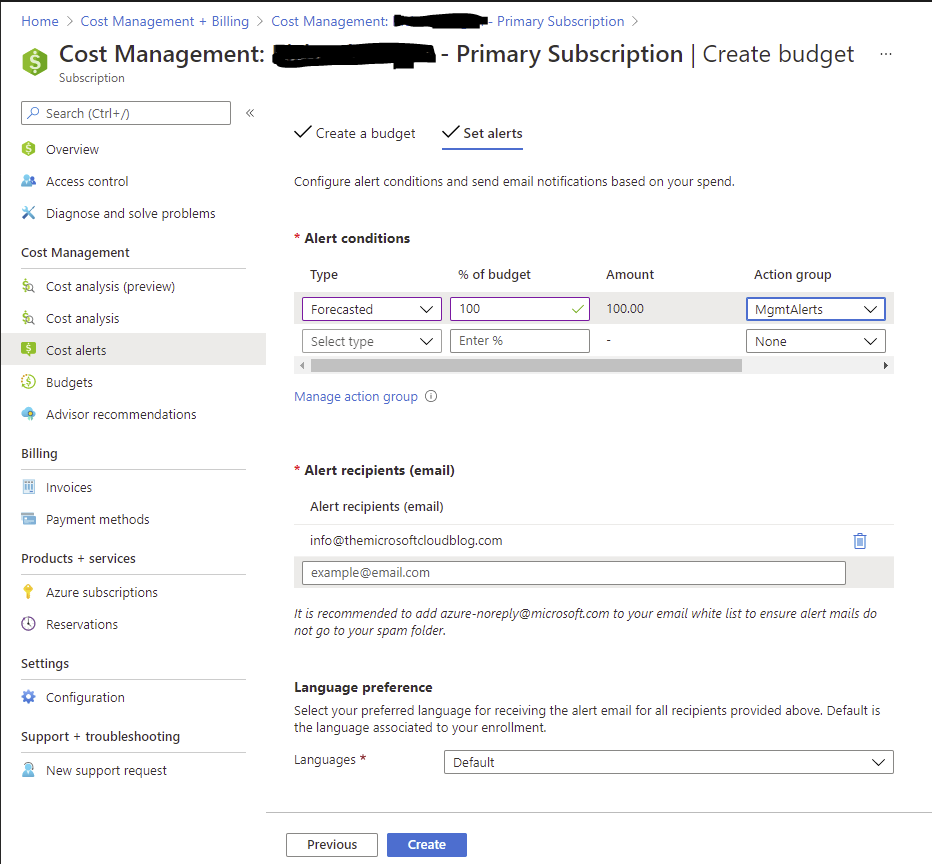
Add one or more email addresses (or groups/distribution lists) and when happy click on create.
Assuming that everything is setup correctly and you hit the criteria you defined. Whenever the alert is fired you will receive an email similar to the one below.
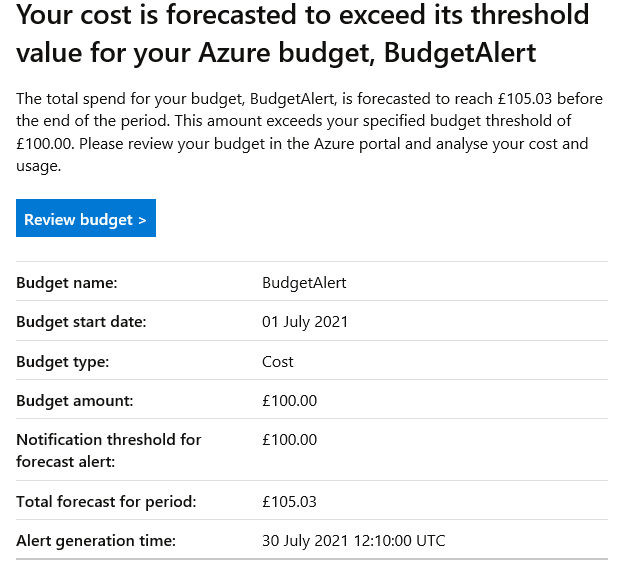
Which was good as it allowed me to go into the portal and identify which resource(s) , in this instance a VPN gateway and delete it, thus saving me credits and enabling me to use the subscription until the allowance resets at the beginning of the month.
This is a nice simple way of ensuring that costs or usability of my subscription does not get impacted, which is especially useful when you are running with such a low ceiling.
 The Microsoft Cloud Blog
Leave a comment